In a spiral notebook next to my precision screwdriver kit, I keep a log of every laptop friends and relatives have handed me since high school. It has 64 entries, each with a model, a year and one short line about what went wrong.
Read in order, the notebook tells a consistent story. Laptops rarely die all at once. They wear out one component at a time, usually in a fairly predictable order, and the first failure is often the cheapest one to fix.
Here is how long a laptop typically lasts, which part fails first, and when a repair stops being worth the money.
Average Laptop Lifespan

Most laptops give three to five years of comfortable everyday use. A well-built business or premium model can stay useful for six to eight years with basic care.
The battery is usually the first part to wear out, often noticeably within two to three years. After it comes the parts that move or flex, then the cooling system, and only rarely the processor or motherboard. My notebook shows a rough failure order.
- Battery capacity fades first, usually between year two and year four.
- Hinges, charging ports and USB-C sockets loosen with daily handling.
- Fans grow louder as dust and worn bearings slow them down.
- Keyboards and storage follow, although modern SSDs hold up surprisingly well.
There is an important difference between a laptop that stops working and one that stops being useful. Most machines in my log reached the second stage first.
What the Failure Data Actually Shows
Good public data on laptop failures is thinner than you might expect. Manufacturers keep their warranty numbers private, so many lifespan figures online are estimates dressed up as statistics.
The best-known study is old but still useful. In 2009, the warranty company SquareTrade analyzed more than 30,000 new laptops and projected that roughly a third would fail within three years.
Of the 31 percent projected three-year failure rate in that study, 20.4 percent came from hardware malfunctions and 10.6 percent from accidents such as drops and spills.
Treat those numbers as history. Laptops in 2009 still used spinning hard drives, which hate being bumped.
A six-year Google study of flash drives in its data centers later found SSDs were replaced far less often than hard drives, although they showed more uncorrectable read errors. Solid-state storage is one reason modern laptops tend to outlast older ones.
Why the Battery Almost Always Goes First
Lithium-ion cells age in two ways. Every charge and discharge wears the electrodes, and heat speeds up chemical side reactions that permanently reduce capacity, even when the laptop is switched off.
I could spend several paragraphs on electrolyte breakdown. I will spare you.
Apple says its Mac laptop batteries are designed to keep up to 80 percent of their original capacity at their maximum cycle count, which ranges from 300 to 1,000 cycles depending on the model. Windows laptops share the same chemistry.
View this post on Instagram
Did you know? One charge cycle is not one trip to the charger. Using half the battery on Monday and the other half on Tuesday adds up to a single cycle.
Heat matters most. A laptop left in a hot parked car on a summer afternoon is the extreme case, but a laptop running warm on a bed every night ages its battery too.
A laptop can also generate heat inside a closed bag because Windows sleep mode may allow apps and hardware to remain active.
Cold has a different effect: a cold laptop battery can lose usable power for a short time, then recover indoors.
Fans, Dust and Dried Thermal Paste
The 15-inch gaming laptop I bought in my second year of college taught me about cooling the hard way. By its third winter, the fan sounded like a hair dryer during video calls, and games stuttered after ten minutes.
Inside, a gray mat of dust covered the heatsink fins, and the thermal paste between the processor and the heat pipe had dried into something closer to chalk. The CPU was thermal throttling, which means it deliberately slowed itself down to avoid overheating. Cleaning and fresh paste cost me about $8 and one evening.
A dusty fan rarely needs replacement right away. My guide explains how to clean a laptop fan safely before you spend money on repairs.
Cooling problems usually announce themselves early.
- The fan ramps up during light work such as email or a video call.
- The keyboard deck or bottom panel feels hotter than it did last year.
- Performance drops after several minutes of steady work, then recovers once the laptop cools.
If the fan stays loud during light tasks, start with a guide on how to clean laptop vents before you pay for a repair.
Hinges, Ports and Keyboards Take the Daily Abuse
Anything you touch every day wears out on its own schedule. After batteries, my notebook lists loose or cracked hinges most often, usually on thin plastic models opened from one corner.
A clip-on screen adds extra weight to the lid, so check my list of the best laptop screen extenders for model weights and kickstand support before you buy one.
| Part | When wear often shows | Early warning sign |
| Hinges | Years 3 to 5 | Screen wobbles or one side feels stiff |
| Charging port | Years 3 to 6 | Charging cuts out when the cable moves |
| Keyboard | Years 4 to 7 | Keys stick, repeat or stop registering |
| Trackpad area | Any age | Pad sits higher or clicks feel different |
The year ranges are my estimates from repairs, not manufacturer data. The last row is the one I would never ignore.
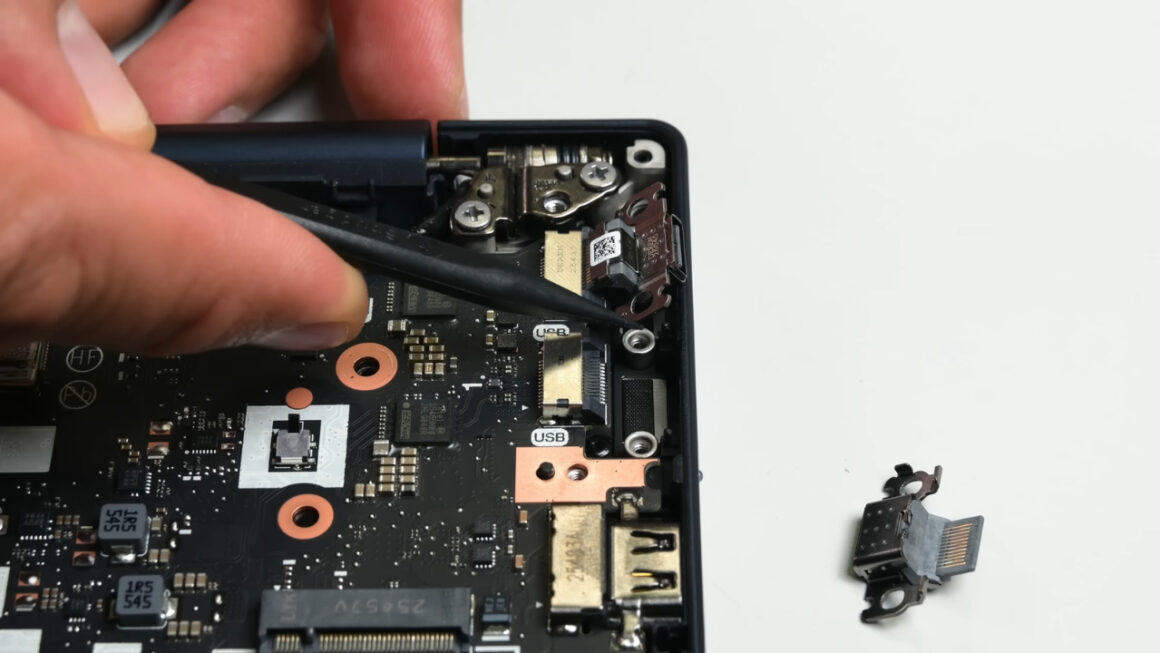
A worn charging port does not always mean an expensive motherboard repair. Lenovo’s ThinkPad T14 Gen 7 has replaceable USB-C charging ports, so a damaged connector can be swapped without replacing the entire board.
A trackpad that starts lifting often means a swollen battery is pushing up from below. Shut the laptop down, unplug it and have a technician replace the battery. Do not press, puncture or try to flatten it.
Software Support Often Ends a Laptop Before the Hardware Does
Many laptops retire with healthy hardware because they can no longer get security updates.
Microsoft ended regular Windows 10 support on October 14, 2025, and Windows 11 requires a TPM 2.0 chip and a compatible 64-bit processor, which rules out most laptops built before about 2018.
Windows 10 support ends on October 14, 2025.
365 days to go.
— Windows Latest (@WindowsLatest) October 13, 2024
Several reports said free Windows 10 updates would end in October 2026. That date has changed. In June 2026, Microsoft extended consumer Extended Security Updates to October 12, 2027, and enrolled users move over automatically. ESU delivers security fixes only.
Apple measures age differently, and its vintage and obsolete product policy sets two milestones.
- A model becomes vintage five to seven years after Apple stops selling it.
- After seven years, it becomes obsolete, and Apple ends hardware service, although some Mac laptops can still get battery-only repairs for up to 10 years.
When to Repair a Laptop and When to Replace It
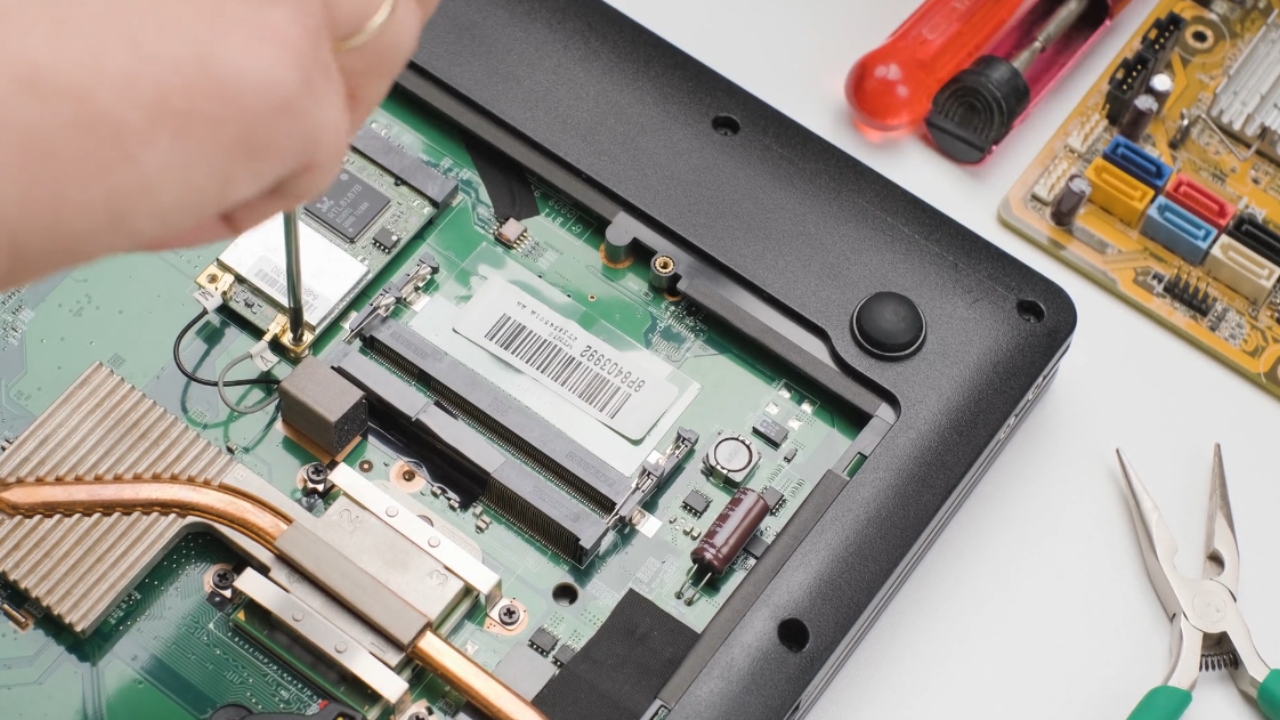
My default order is maintain, diagnose, repair, and only then replace. A new battery or hinge often buys two or three more years for a fraction of the price. Before deciding, I work through a short checklist.
- Will the laptop keep receiving security updates for at least another year?
- Does the repair cost less than about half the price of a comparable new model?
- Are parts for that exact model still available?
- Is the slowness a fault, or just too little RAM?
- Has the motherboard or display failed outside warranty?
If the built-in screen is the only failed part, test the laptop with an external monitor before you pay for a replacement panel.
The 50 percent line is my rule of thumb, not an industry standard. Parts access is improving in some states.
Some laptop makers go beyond legal repair requirements. The MNT Reform laptop comes with public circuit diagrams and replaceable hardware modules, which can help owners keep the same machine for years.
California’s right-to-repair bill, SB 244, requires manufacturers to offer parts and repair documentation for seven years after a model was last made, if it costs $100 or more wholesale. Two bad answers usually mean replacement.
A laptop no longer worth a paid repair may still qualify for donation and reuse after a charity checks its condition.
Frequently Asked Questions
1. How do I check my laptop battery health?
On Windows, open Command Prompt and run powercfg /batteryreport, then compare Full Charge Capacity with Design Capacity in the saved report. On a Mac, open System Settings, choose Battery and check Battery Health.
2. Is it bad to keep a laptop plugged in all the time?
A modern laptop stops charging when the battery is full, so it cannot overcharge. Sitting at 100 percent while warm still adds stress. Dell, Lenovo, HP and ASUS offer charge-limit settings, and macOS can delay charging past 80 percent.
3. Do gaming laptops wear out faster?
Gaming laptops run hotter, so fans, thermal paste and batteries work harder. With clean cooling, the hardware often lasts as long as other laptops. New games can make the graphics chip feel dated within three or four years.
4. How long will a refurbished laptop last?
It depends on the age and condition of the machine. Ask for the battery capacity, check how many years of security updates remain, and choose a seller offering at least a 90-day warranty.
5. Can upgrading RAM or storage extend a laptop’s life?
Yes, when the laptop allows it. Replacing an old hard drive with an SSD is the biggest single improvement. Many thin laptops have soldered RAM, so check the service manual before buying parts.
What I Would Check on Your Laptop This Week

Entry 64 in my notebook is a neighbor’s 2019 laptop. She brought it over convinced she needed a new one.
The battery reported 58 percent of its design capacity, the fan was choked with lint, and everything else tested fine. A replacement battery and fifteen minutes of cleaning gave her a quiet, cool machine again.
Before you shop, run a battery report, listen to the fan during a quiet task, and look up when your operating system stops getting security updates. If only one of those three looks bad, you probably have a repair on your hands, not a replacement.