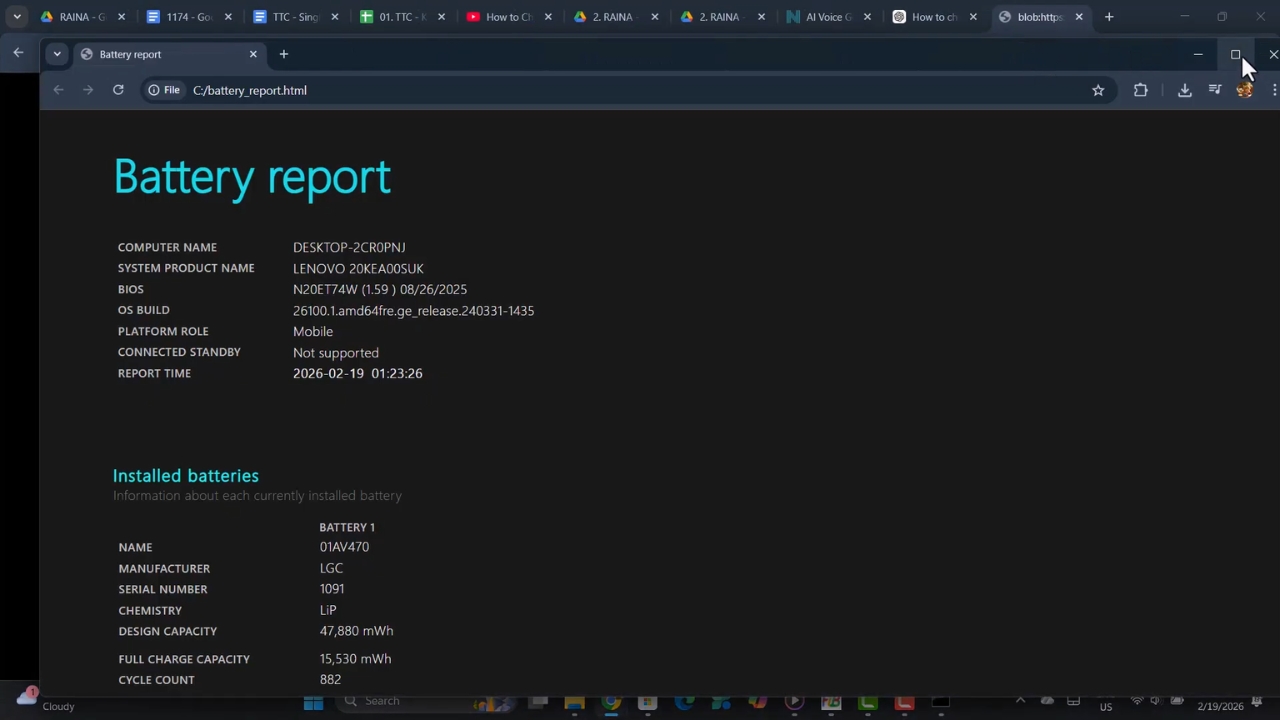
I check battery health more often than any normal person should, and the Windows battery report is where I always start. Microsoft hides it behind a command instead of a Settings screen, so most people never see it.
The report is honest, but it is not friendly. It throws figures like 38,637 mWh at you and assumes you know what to do with them.
The clearest example I have found belongs to someone else. In 2023, a Windows user posted the capacity history of a two-year-old laptop online, and that battery had lost almost half its capacity in 189 cycles. Its numbers explain the report better than any sample screenshot.
Two Minutes to Generate the Report
Microsoft’s page on caring for your battery in Windows points to the battery report as the way to check capacity, run from an administrator Command Prompt.
- Press the Windows key, type cmd, right-click Command Prompt, and choose Run as administrator.
- Type powercfg /batteryreport /output “%USERPROFILE%\Desktop\battery-report.html” and press Enter.
- Open the new file on your desktop in any web browser.
The output part of the command is optional. Without it, Microsoft’s powercfg documentation says the HTML file lands in the current folder, which for an administrator prompt is usually the system32 folder that nobody browses for fun.
I save every report in a folder named by date, the digital cousin of my labeled screw containers. One report is a snapshot. A dozen of them show a trend.
The Real Battery Behind This Example
The data comes from a June 2023 question on Microsoft Q&A. The owner said the laptop was about two years old and asked why its capacity kept falling. The posted report shows a cycle count of 189 and capacity readings going back to April 2021.
| Period in the report | Full charge capacity | Share of first reading |
| April 26 to May 2, 2021 | 38,637 mWh | 100% |
| June 6 to June 13, 2021 | 36,590 mWh | 94.7% |
| June 11 to June 18, 2023 | 24,253 mWh | 62.8% |
| June 25, 2023 | 21,067 mWh | 54.5% |
I calculated the last column myself by dividing each reading by the first one. The owner never named the laptop model, so treat the table as the story of one battery, not a verdict on any brand.
Reading the Installed Batteries Section
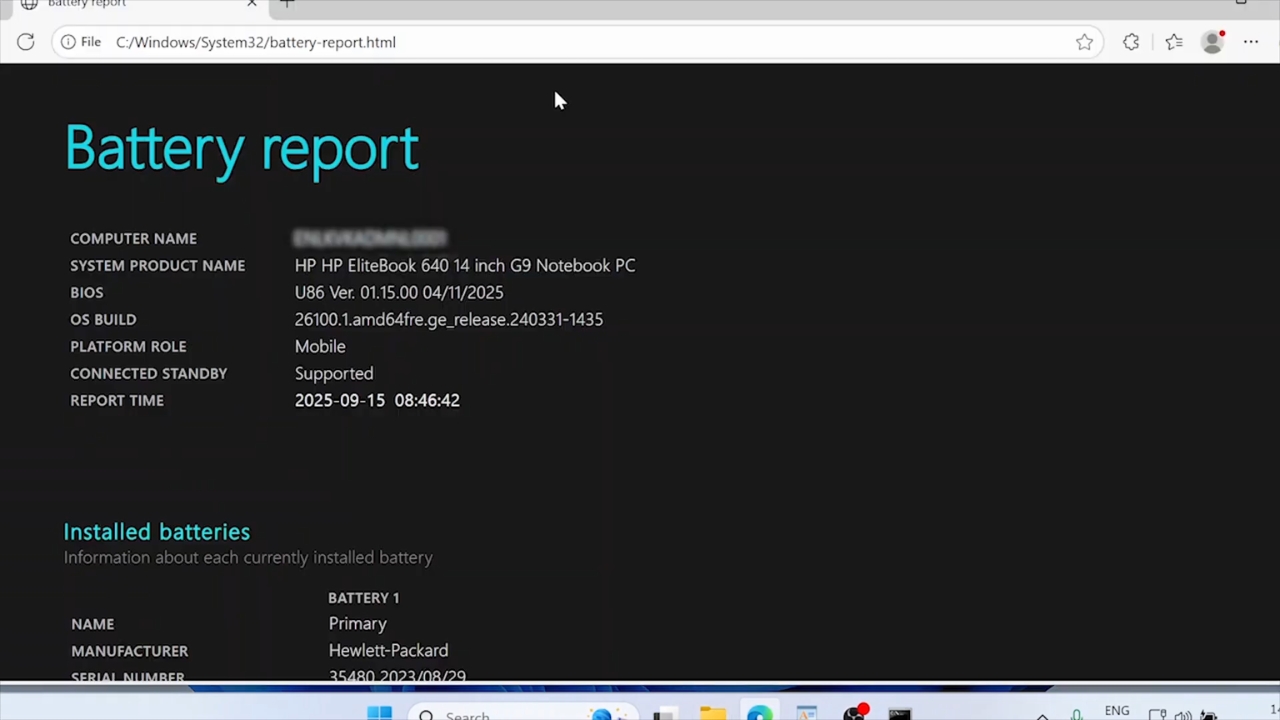
Near the top of every report sits a small table called Installed batteries. Most of its rows are labels, but three lines carry nearly all the useful information.
Design Capacity
Design capacity is the energy the battery was built to hold when new, measured in milliwatt hours. It describes the battery on the day it left the factory, so it should never change.
Full Charge Capacity
Full charge capacity is what the battery can hold today after a complete charge. Divide it by design capacity and you get the closest thing Windows offers to a health percentage.
Cycle Count
One cycle equals a full battery’s worth of discharge, even when it happens across several days. Two half drains count as one cycle. Some batteries never report the figure at all, and the field shows only a dash.
What 54.5 Percent Means After 189 Cycles
The arithmetic is short. The battery dropped from 38,637 mWh to 21,067 mWh, a loss of 17,570 mWh, or 45.5 percent of its first reading. Spread across 189 cycles, the loss works out to roughly a quarter of a percent per cycle.
Apple states that its Mac laptop batteries are designed to retain up to 80 percent of their original capacity at their maximum cycle count, and it counts a cycle the same way described above.
View this post on Instagram
Windows laptop makers set their own ratings, so the Apple figure is a reference point, not a rule for every machine. Even so, 54.5 percent after 189 cycles is far steeper than a battery designed around that target should look.
Heat is a likely suspect, since a hot afternoon in a parked car speeds up the same chemistry that ages cells. The report alone cannot prove the cause.
The Strange Part of That Report
Here is the detail that made me read the thread twice. In every row the owner posted, design capacity fell together with full charge capacity, and design capacity should never move.
A Microsoft responder replied that the figures come from the controller chip on the battery itself, and that a degrading battery can start sending wrong data. A 2024 thread about the same oddity includes an HP Envy whose report listed 28,613 mWh as design capacity for a battery labeled 52 Wh, with a dash where the cycle count belonged.
Did you know? Windows does not measure your battery directly. It reads values supplied by the battery and the laptop firmware, so the report is only as reliable as the chip feeding it.
When design capacity changes between reports, compare the numbers with real runtime before trusting any percentage.
Recent Usage and Sudden Drops in Charge
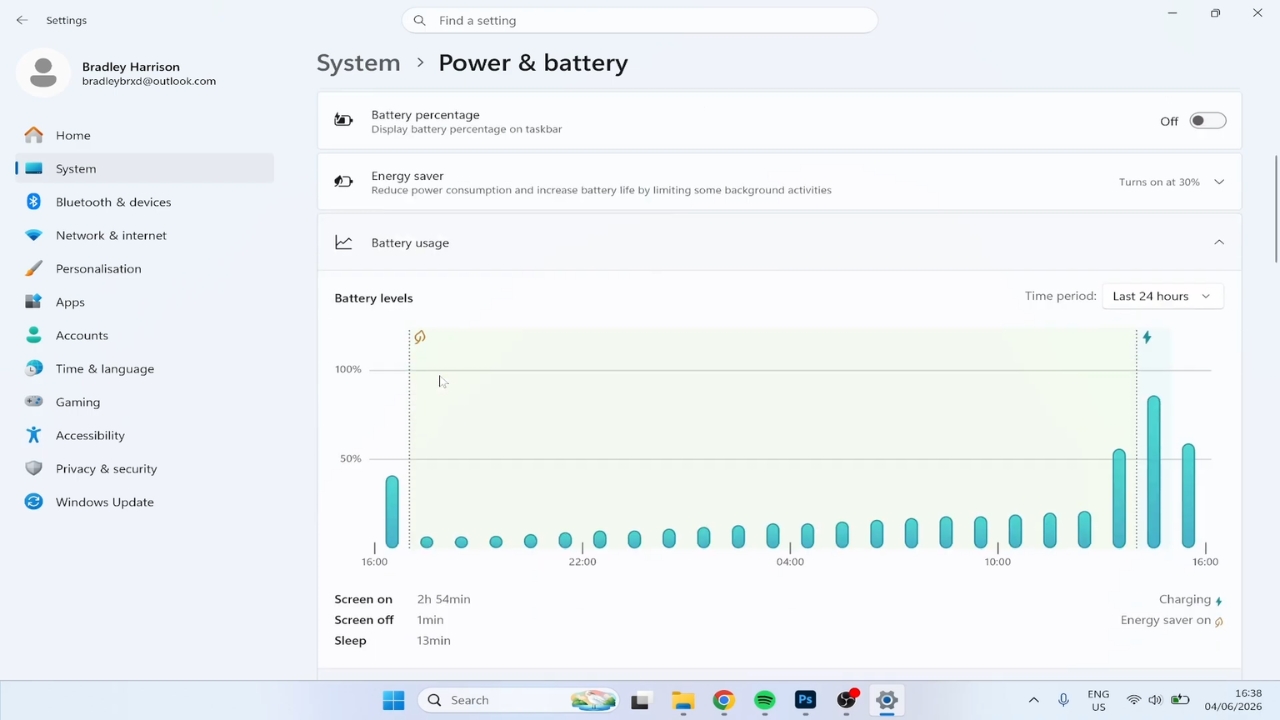
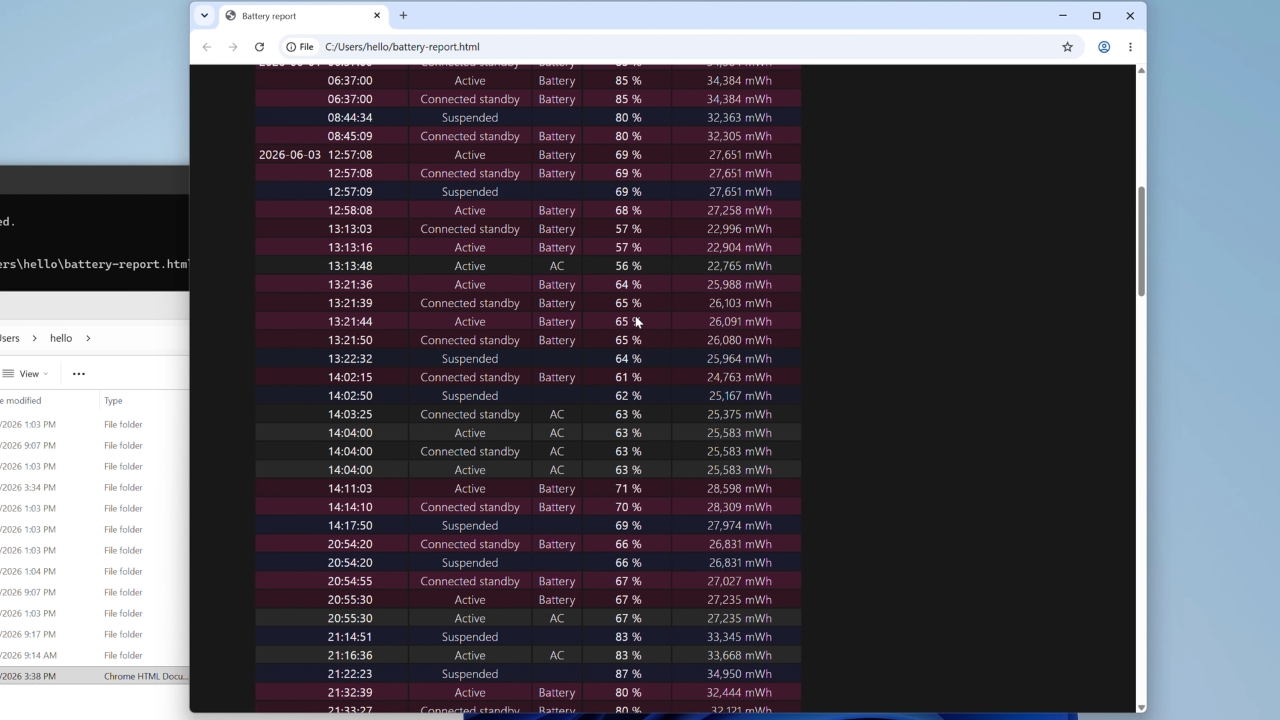
Further down, the Recent usage and Battery usage sections chart the last three days of charge level, sleep, and drain. Odd jumps in that graph worry people more than anything else in the report.
If a sharp percentage drop happens after a winter commute, a cold laptop battery can recover indoors even without a charger.
In an April 2026 Microsoft Q&A thread, a Windows 11 user saw the charge fall from about 99 to 3 percent while restarting the laptop repeatedly. An independent advisor on the forum read the graph roughly as follows.
- A gradual slope reflects normal use.
- A steep slope shows heavy drain.
- A vertical jump usually means the gauge recalibrated or reported the wrong level.
- A jagged zigzag points to interrupted sleep or driver activity.
If your battery loses charge overnight, my guide to Windows sleep mode diagnostics explains how to check for apps and drivers that keep the laptop active.
His conclusion was a likely sync error between firmware and Windows, not a battery that emptied in seconds. That remains a forum opinion, and the thread records no confirmed outcome.
Battery Life Estimates Are a Forecast
The final section estimates runtime twice, once at the current full charge capacity and once at the original design capacity. Windows bases both on how the laptop actually drained in the past, not on a laboratory test.
Comparing the two columns translates aging into minutes, which is the unit most people care about. On the example battery, the gap would be large, because the current capacity is barely more than half the original.
Treat the estimate as a forecast built from your habits. A month of video calls and a month of writing in a text editor produce very different numbers on the same battery.
An extra display can shorten battery life too, so my comparison of laptop screen extenders covers power requirements and pass-through power options.
The Battery capacity history table above it is more trustworthy, because it shows a slope instead of a guess, and that slope is the part I would screenshot.
When Is an Aging Battery Worth Replacing?
Dell’s battery support guidance says runtime may decrease after 18 to 24 months for most users and recommends replacement once its diagnostics rate health as Poor.
Batteries are among the parts that usually wear out first, so the question arrives sooner or later.
Capacity alone does not decide it for me. Behavior does.
- Replace it if the laptop shuts down suddenly with charge still showing.
- Replace it if the runtime no longer covers a normal day away from the charger.
- Stop using the laptop at once if the case, keyboard, or trackpad starts to bulge.
Not every laptop power problem comes from the battery. If the laptop loses power whenever the USB-C cable moves, the port may be at fault. Lenovo has addressed that repair problem with replaceable USB-C ports on the ThinkPad T14 Gen 7.
A lifting trackpad can signal a swollen battery, and swelling is a safety problem, not a capacity problem. Do not press the case back down or keep charging it.
What I Would Do With That Report Tomorrow
@planetsom How to Check Battery Health on Windows 11 #techtok #windows11 #lifehacks ♬ original sound – Planet Som
If that 54.5 percent battery were mine, I would not replace it on the strength of one report. A design capacity that moves suggests the chip may be confused, so I would first charge the laptop to full, unplug it, and time an ordinary workday.
Next, I would run the manufacturer’s diagnostics from the BIOS or its support app. If the runtime and the diagnostics agreed with the report, I would order a battery and file the old report in my dated folder. A battery that held 38,637 mWh in 2021 and 21,067 mWh two years later has told its story clearly enough.