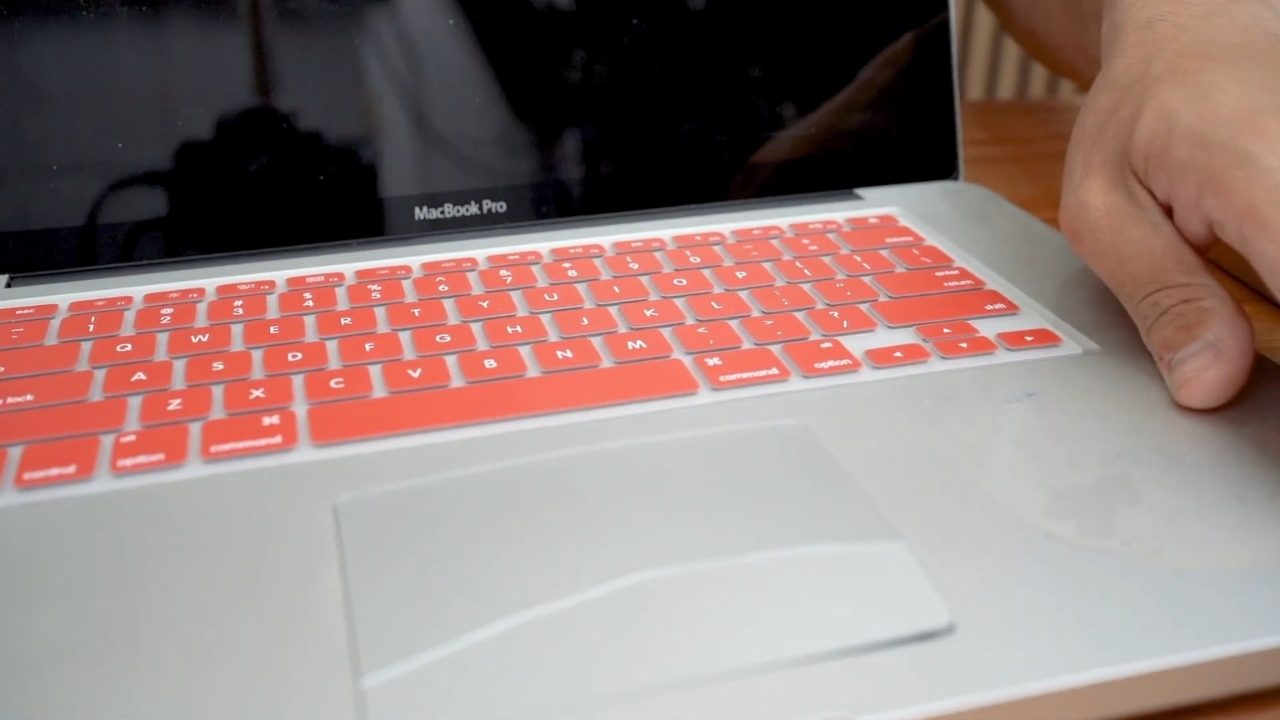
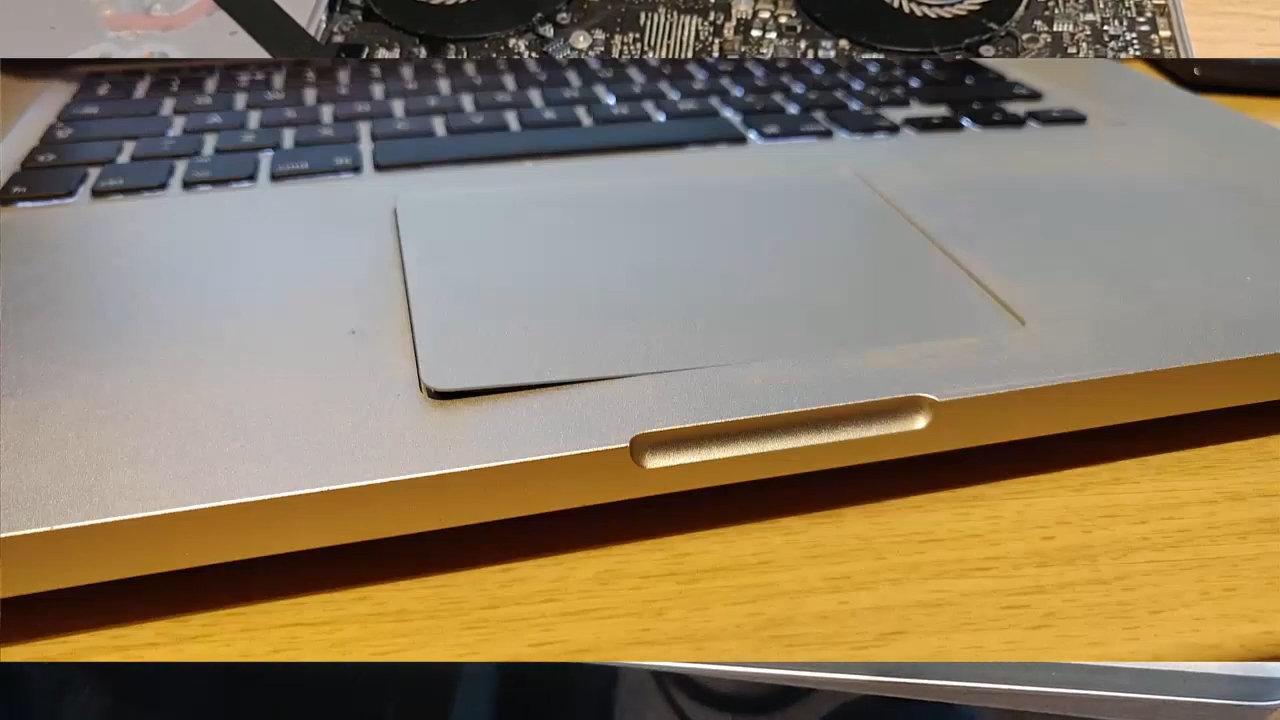
A lifting trackpad is one of the few laptop symptoms that makes me put my coffee down. If one edge of your trackpad now sits slightly higher than the palm rest around it, or if it feels stiff or has stopped clicking properly, the most likely explanation is the battery underneath it.
Lithium-ion batteries can swell as they age or fail, and in many thin laptops the trackpad is the first part to get pushed out of place.
The short version is to stop using and charging the laptop until you know for sure. The longer version explains why this happens, how worried you should be, and what to do next.
Why the trackpad is the first thing to move

Every time I open a thin laptop, the layout looks roughly the same. Flat battery cells are packed under the palm rest, and the trackpad sits right on top of them. MacBooks, Surface Laptops and many slim Windows machines follow some version of this design because it saves space and balances the weight.
Here’s the interesting part. The keyboard deck is a rigid, screwed-down part of the chassis. The trackpad is not. It is a separate module built to move slightly so it can click, which makes it the easiest thing for an expanding battery to push. That is why it often lifts before anything else looks wrong.
A loose internal screw or a hard knock can also shift a trackpad. From the outside, though, you cannot reliably tell those apart from a swollen battery, so assume it is the battery until a technician proves otherwise.
Other signs that point to the same problem
The trackpad is usually the first clue, not the only one. Once a battery starts to swell, the pressure has to go somewhere, and it tends to show up in a few predictable places.
Shorter battery life and a battery health warning often show up alongside these. On their own, though, they only mean the battery is aging, not that it has swollen. Most thin laptops now use lithium-ion polymer batteries, which have become the standard choice for slim designs. Their cells are sealed in a soft pouch rather than a metal can. Pouch cell: A lithium-ion cell sealed in a flexible aluminum-laminate bag instead of a rigid metal case. It saves weight and space, but when gas forms inside, the bag inflates instead of holding its shape. That gas comes from slow side reactions. As the cell ages, parts of the liquid electrolyte break down at the electrodes and release gases such as carbon dioxide, carbon monoxide and ethylene, according to a 2025 review of battery swelling research. Heat speeds these reactions up, and so do long periods at full charge. A defective cell or a faulty charging circuit can cause swelling much faster. I could spend a while on electrolyte chemistry. The practical point is that the swelling will not go away on its own. This is where the internet gets louder than the evidence. Some headlines treat a lifting trackpad as a sign the battery is about to explode. Manufacturers and fire-safety agencies are calmer, but they are not saying exactly the same thing: Read together, slow, age-related swelling is usually not a fire waiting to happen. The danger comes from continuing to charge a stressed cell, pressing on it, or puncturing it while trying to fix the trackpad. A damaged cell can short internally, and that is where fires start. If you’re reading this with the laptop open in front of you, take a breath. There is one exception. If the laptop is hot, hissing, smoking or smells of chemicals, forget the backup. Move away from it, and call emergency services if it catches fire. This is the part I wouldn’t attempt at home, even with a screwdriver kit as well stocked as mine. Many laptop batteries are glued in, and prying a swollen pouch free with metal tools is exactly how cells get punctured. Dell’s handling guidance tells owners not to pry, bend, or press on a swollen battery. Start with the manufacturer, even if you think the warranty has expired. Microsoft, for example, has a dedicated replacement request for swollen Surface batteries. Otherwise, a qualified independent repair shop can usually replace the battery, and the trackpad often settles back once the pressure is gone. For an otherwise healthy laptop, a new battery is usually far cheaper than a new laptop. A battery replacement can extend a laptop’s useful lifespan, provided the rest of the hardware remains in good shape. Did you know? Damaged and swollen lithium batteries are regulated as hazardous materials in shipping. That is why Dell sends an approved container for returns instead of letting you use any box. You cannot make a lithium-ion battery last forever, and some swelling comes down to a defective cell no matter what you do. You can, however, cut back on the two biggest accelerators, which are heat and long stretches at full charge. For a laptop with a healthy battery, regular laptop vent care can help keep excess heat under control. If the battery is already swollen, leave the case closed and ask for professional help. A battery that has lost a lot of capacity is not automatically about to swell, but it is old enough to watch closely. No. FAA rules for airline passengers bar damaged batteries and devices likely to overheat from both carry-on and checked bags, unless the battery has been removed or made safe. Get it repaired before you travel. Don’t count on it. Even if the case seems to settle after cooling down, the cell has already been stretched and aged. Treat a battery that has deformed its case as permanently damaged. Some laptops run without a battery and many do not. Either way, removal of a swollen battery carries risk. Let a repair shop take it out and fit the replacement in one visit. Never put it in household trash or recycling bins. The EPA recommends certified electronics recyclers or hazardous waste collection points. Repair shops that replace the battery usually dispose of the old one for you. If your trackpad has started to sit a little proud of the palm rest, the battery has probably been changing for months, and the laptop is doing you a favor by showing it somewhere visible. Shut it down, leave the charger unplugged, and put it on a hard surface away from anything that burns. Then contact the manufacturer or a qualified repair shop this week rather than next month. In most cases, a new battery lets the trackpad settle back where it belongs and gives an otherwise healthy laptop plenty more life. Pressing the trackpad down with your thumb does neither.
What is actually happening inside the battery
How dangerous a swollen laptop battery really is
Source
What they say
Apple, in its 2018 MacBook Pro battery program
Called expansion caused by a failed component “not a safety issue” and replaced affected batteries free
Microsoft, in its Surface battery guidance
Says expansion from heavy aging is mostly carbon dioxide and not a safety concern, but tells owners to stop using a visibly deformed device
Dell
Says not to use, press, bend or pry a swollen battery, and to replace it
U.S. Fire Administration
Says to stop using any lithium-ion battery that changes shape
What to do the moment you notice it
Getting the battery replaced, not the laptop
How to make swelling less likely next time
Frequently asked questions
Can I fly with a laptop that has a swollen battery?
Will the swelling go down if I stop using the laptop?
Can I remove the battery and run the laptop from the charger?
How should I get rid of the old battery?
At the end