Look at the spec sheet of a large gaming laptop or a 16-inch workstation and you will often find the same oddly specific battery size. It is 99.9 watt-hours, or something very close to it. Engineers could often fit more, but aviation rules make them stop.
U.S. and international rules let passengers carry lithium-ion batteries rated at 100 Wh or less without asking anyone. Go above that line and the battery needs airline approval.
Below, we explain how the rule works, why it exists, and how to check your own laptop.
What a Watt-Hour Actually Measures
A watt-hour is a measure of stored energy. Think of it like a fuel tank. Battery percentage shows how full the tank is, while watt-hours show how big it is.
One watt-hour is the energy needed to supply one watt of power for one hour. The FAA tells travelers to read the rating on the battery label, or to multiply the battery voltage by its amp-hours when the label shows no watt-hour figure.
A 99.9 Wh battery could, in theory, run a 10-watt load for almost 10 hours. Real laptops draw more power when the processor is busy, so the same battery might last a full day of note-taking or barely two hours of gaming. Airlines care about the size of the tank, not how quickly you burn through it.
The Laptops That Sit Right at the Line
The pattern shows up most clearly in the biggest machines, where there is room for more battery. MSI lists its Titan 18 HX gaming laptop with a 99.9 Wh battery, which is about as close to 100 as a label can get.
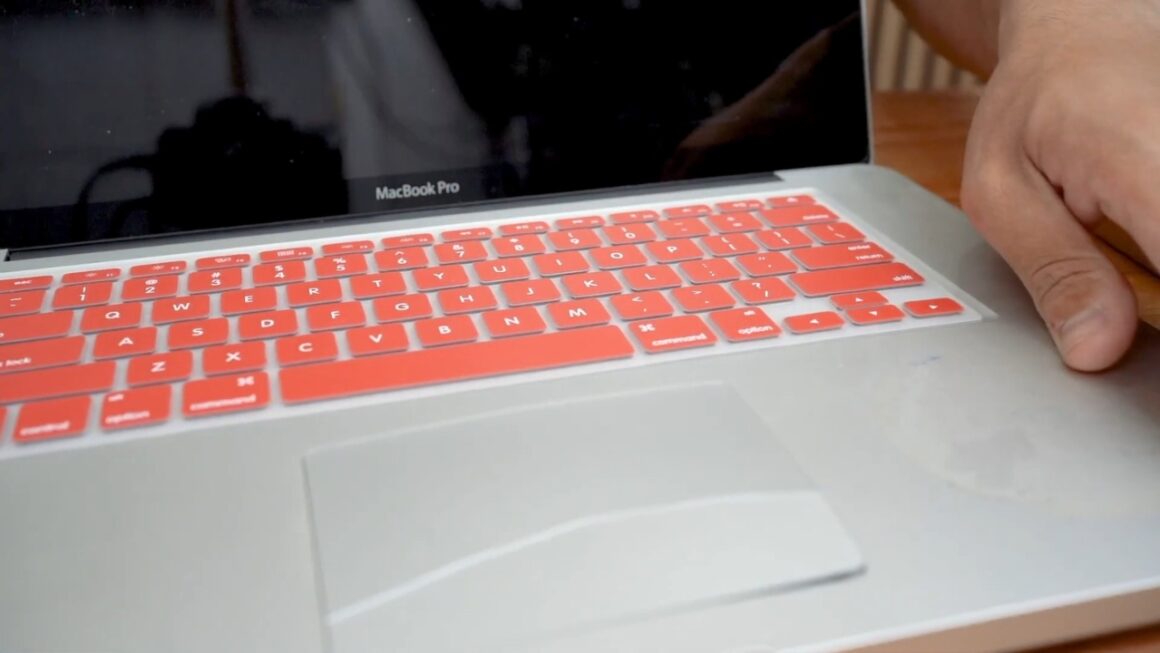
Apple does something similar with the 16-inch MacBook Pro. Its marketing says 100 watt-hours, but the fine print adds a useful detail.
Did you know? The tech specs for the 2024 16-inch MacBook Pro list a 100 Wh battery, with a footnote giving the actual rating as 99.6 Wh. The rounded number looks better in an ad, and the real number keeps the laptop inside the no-approval category.
Thin 13-inch and 14-inch laptops usually carry much smaller batteries, so the rule mainly shapes large machines.
What the Airline Rules Actually Say
In the United States, the FAA sets the baseline for what passengers can bring. Its guidance for airline passengers and batteries sorts lithium-ion batteries into three groups by size.
| Battery rating | Laptop or other device | Spare battery or power bank |
| 100 Wh or less | Allowed | Allowed, carry-on only |
| 101 to 160 Wh | Needs airline approval | Airline approval, two per person, carry-on only |
| Over 160 Wh | Not allowed | Not allowed |
The middle row matters most. A laptop with a 120 Wh battery is not banned, but every trip would start with a request the airline could refuse.
Laptop makers design for the top row instead. Airlines can also set stricter limits than the FAA, so treat the table as a baseline.
Today, the FAA issued a safety alert on risks lithium batteries placed in aircraft passenger compartments can pose – smoke or even fire. The safety alert provides airline operators risk mitigation strategies to keep passengers and crewmembers safe. Read more: https://t.co/PPApdzrtdK
— The FAA ✈️ (@FAANews) September 9, 2025
Why Regulators Drew the Line at 100 Wh
The limit comes from the way lithium-ion cells fail. A damaged or defective cell can overheat and set off its neighbors in a chain reaction called thermal runaway. In plain terms, one hot cell heats the next until the whole pack burns.
A bigger battery stores more energy, so it can feed a bigger fire. In the cabin, flight attendants can reach a burning laptop and cool it down. In a cargo hold, nobody can reach it.
The U.S. Department of Transportation wrote the modern version of the limit into a rule that took effect on January 1, 2008. That rule described the threshold as 8 grams of equivalent lithium content, about 0.28 ounce, which works out to roughly 100 Wh.
How to Check Your Own Laptop Battery
You do not need to open your laptop to find its rating.
- Look at the label on the battery or the bottom of the laptop for a Wh figure.
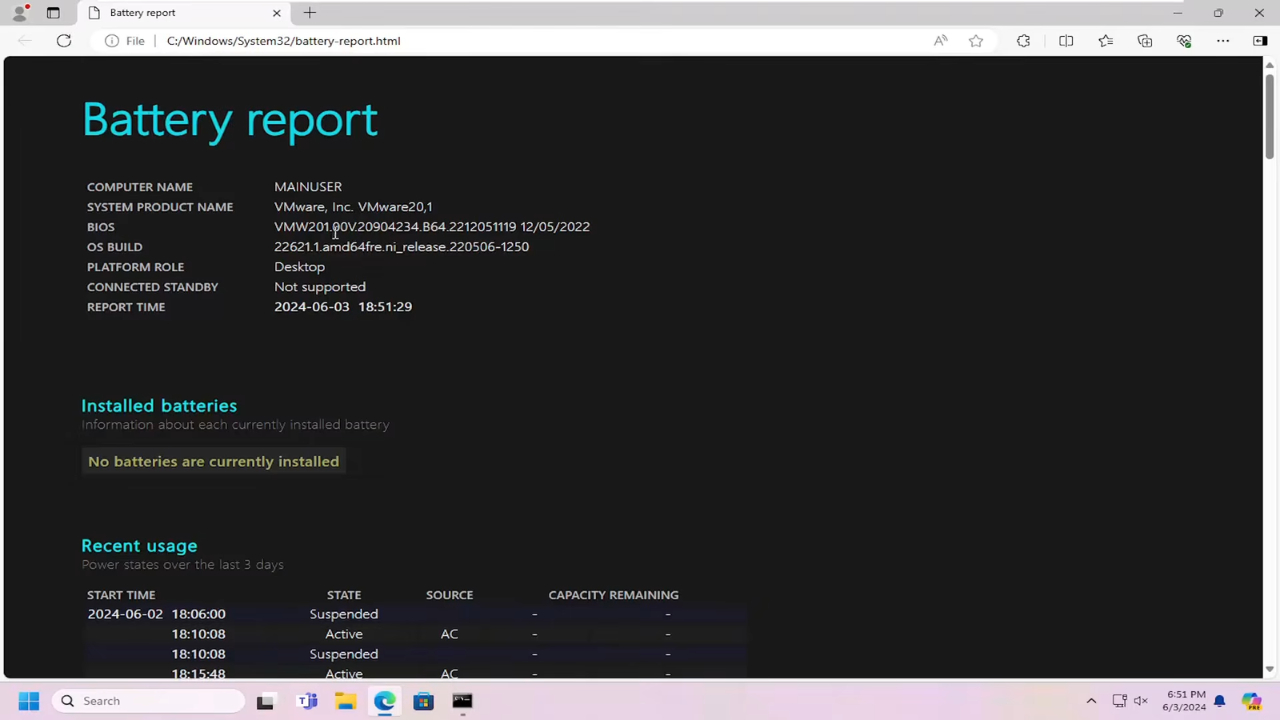
- On Windows, run the Windows 11 battery report and find the design capacity in mWh. Divide by 1,000 to get Wh, so 99,900 mWh is 99.9 Wh.
- Check the tech specs page from the manufacturer for your exact model.
- If you only find volts and milliamp-hours, multiply them and divide by 1,000.
That last step trips people up. One tech site says dividing mAh by 1,000 gives watt-hours, which skips the voltage entirely. In our own example calculation, a 25,000 mAh power bank built from 3.7-volt cells holds about 92.5 Wh, not 25 Wh.
The 2026 Power Bank Rules Are a Separate Issue
Recent battery crackdown headlines are mostly about power banks, not laptops. The new limits from ICAO, the United Nations aviation agency, took effect on March 27, 2026, and they apply to international flights. Here is what changed.
View this post on Instagram
- Passengers may carry no more than two power banks.
- Passengers may not recharge a power bank during the flight.
The ICAO announcement does not mention laptops or other devices with built-in batteries, and we have seen no official guidance that treats a laptop as a power bank. A laptop is a device you use, while a power bank exists only to charge other things. Airlines may still add their own rules, and some restricted power banks before ICAO acted, so check before you fly.
Why Laptop Makers Do Not Simply Go Bigger
Battery cells keep improving, so a 99.9 Wh pack today can be smaller and lighter than an older one. The total stays capped, though, so longer battery life has to come from more efficient processors and smarter power management.
We think that is a reasonable trade, and it fits how most people actually travel. A battery above 100 Wh would add weight to laptops that are already heavy, and the airline approval step would annoy the very people who buy big laptops for travel and work.
The cap also explains why some gaming laptops with huge power demands still last only a few hours unplugged. The battery is as large as the rules comfortably allow, and a powerful graphics chip simply drains it quickly.
How to Pack a Laptop for a Flight
The FAA allows a laptop in checked luggage only if it is fully powered off and protected from turning on by accident. We still recommend your carry-on, where crew can reach it and it is less likely to be crushed.
Sleep mode is not the same as off. A sleeping laptop can keep working in the background and warm up inside a closed bag, so shut it down completely if it goes in the hold.
Damaged or recalled batteries are different. The FAA does not allow them aboard unless the battery is removed or made safe. If your laptop shows signs of swelling, such as a trackpad lifting from the case, do not take it to the airport. Get the battery replaced first.
A Number Worth Remembering Before You Buy

The 99.9 Wh figure on a spec sheet is not a sign of a cheap or undersized battery. It usually means the manufacturer filled the space as far as the rules allow without forcing you to call the airline.
If you fly often and want the longest possible battery life, compare laptops by efficiency and real-world battery tests, since the biggest models all hit the same ceiling.
If a laptop ever lists a battery above 100 Wh, treat that as a travel warning and confirm your airline accepts it before you book.
Frequently Asked Questions
1. Does a Worn Battery Count as a Smaller Battery?
No. The rule uses the rating marked on the battery, not what it holds after years of wear.
2. Can I Bring Two Laptops on the Same Flight?
Usually, yes. The FAA sets no count limit for personal devices with batteries of 100 Wh or less, though airlines can set their own.
3. Are Laptop Chargers Restricted?
A standard laptop charger contains no battery, so lithium battery rules do not apply to it. A charger with a built-in battery counts as a power bank.
4. Do the Same Limits Apply on International Flights?
The 100 Wh and 160 Wh thresholds are broadly shared worldwide, but countries and airlines can be stricter.
5. What Should I Do if a Laptop Overheats in Flight?
Tell a flight attendant right away. The FAA asks passengers to report any device that is overheating, swelling, smoking or burning.